

SEPTEMBER 3, 2026
The In/Tend Innovation Showcase is a time for us to celebrate all the time and work that the Innovation Development Teams (IDTs) have put in during their time with the Hub. It provides an opportunity for each team to share their innovation journey and present early-stage prototypes.
For In/Tend’s second cohort of IDTs, we held a hybrid Innovation Showcase this past May. The event was well attended both in person and virtually, and we received a lot of positive feedback from attendees! But truth be told, it was the first time we had ever hosted the Innovation Showcase in a hybrid format. We learned a lot about what worked, what didn’t, and things we should have considered. So, in the spirit of innovation and collaboration, we wanted to share our top four tips and tricks, so you can successfully pull off an engaging, fun, and smooth-sailing hybrid event.
Tip #1. Think about what experience you want for in-person and virtual attendees.
How will you and your team make an intentional effort to engage both the in-person and virtual attendees?
This tip is more of a mindset than an actual tangible suggestion. Start by imagining what experience you want attendees to have; it’s the very first step towards a successful event and happy attendees. How will you and your team make an intentional effort to engage both the in-person and virtual attendees? What does it look like to have high engagement among both types of attendees?
It’s easier to plan for in-person engagement; you and your team will be in the room with the guests. But often, when there are both in-person and virtual attendees, the remote attendee’s experience is not prioritized, leaving these attendees feeling disconnected and ignored. Make a concrete plan with actionable strategies for how the event, and the team running it, will engage with the virtual attendees. How will you ensure any questions or responses from virtual guests are treated as equally important to those shared in the physical room?
Tip #2. Create and assign distinct roles.
It is difficult, or nearly impossible, for one person to monitor the virtual side of a hybrid event while also ensuring the in-person component is running smoothly. More so, it is hard for someone who is in person to truly see how the event looks to a virtual attendee. There are many possible roles that can be assigned to your team, depending on the topic and format of your hybrid event, but here are some of the most important roles you should assign to your team:
- The event host/facilitator(s) – This is the person (or people) who will lead the event. They begin the event, facilitate transitions between speakers or activities, and wrap up the event at the end.
- The in-person producer – This role’s tasks are very specific to handling the setup of the event platform and monitoring the quality of the event. This person also facilitates the rehearsal of the event, ensuring video, audio, screen sharing, and any other technical components run smoothly before and during the event.
- The virtual moderator – This team member will attend the event virtually and is tasked with engaging with the virtual audience. They will actively monitor the chat, engage with virtual attendees, answer any questions, and be in direct contact with the in-person producer to communicate if any technical issues come up.
Tip #3. Test and confirm your AV setup.
Audio will make or break your event. The whole point of an event with the option for virtual attendees is so they can engage remotely, but if they can’t hear, you’ve already lost their engagement. Test the audio. Test it with people at different locations around the event room. If you can, consider investing in a good microphone setup that is easy to connect.
The camera placement may involve some creative solutions. Depending on the tech setup, some rooms or cameras can automatically shift focus to the speaker; this is a great option! But if you don’t have access to this function, consider having a camera where virtual attendees will see speakers/presentations in a similar way to the in-person attendees.
Remember to think about how camera placement may change the audio setup, as oftentimes the video camera and audio may be the same device, and if you set up a camera far away from the speaker, your audio quality will suffer. Another tip: Hide the self-view camera in person (but keep it visible for virtual attendees); it can be really distracting for both the speakers and the attendees!
This may be an obvious one, but just in case—test the bandwidth of the internet at the event location. Not all internet is made equal, and you can’t assume the event venue can handle a virtual event with cameras and variable numbers of virtual attendees.
Tip #4. Set up registration with clear instructions for attending.
When setting up an event that requires registration, it’s important to have a way to track in-person sign-ups vs. virtual sign-ups. Is there a maximum capacity for the room you’re using for the event? Explore registration options that allow you to set a maximum limit for those who register to attend in person. Knowing how many people will attend in person and virtually can help you and your team make decisions on role assignments, which will help you facilitate an engaging event.
Once attendees are registered, make sure to include clear instructions on how to join (address if in person, meeting information if virtual), the start and finish times of the event shared in multiple time zones, and, if possible, a brief agenda. It is best practice to include contact information for a person on your team that attendees can contact if they have any questions about the event.
Our experience planning and hosting the Innovation Showcase taught us just how important each of these tips is when planning a hybrid event. Reflecting on that experience helped us identify these four tips and tricks as key ingredients in creating an engaging and successful event that brought our in-person and virtual attendees together and, most importantly, celebrated the hard work, dedication, and accomplishments of our second cohort of IDTs.
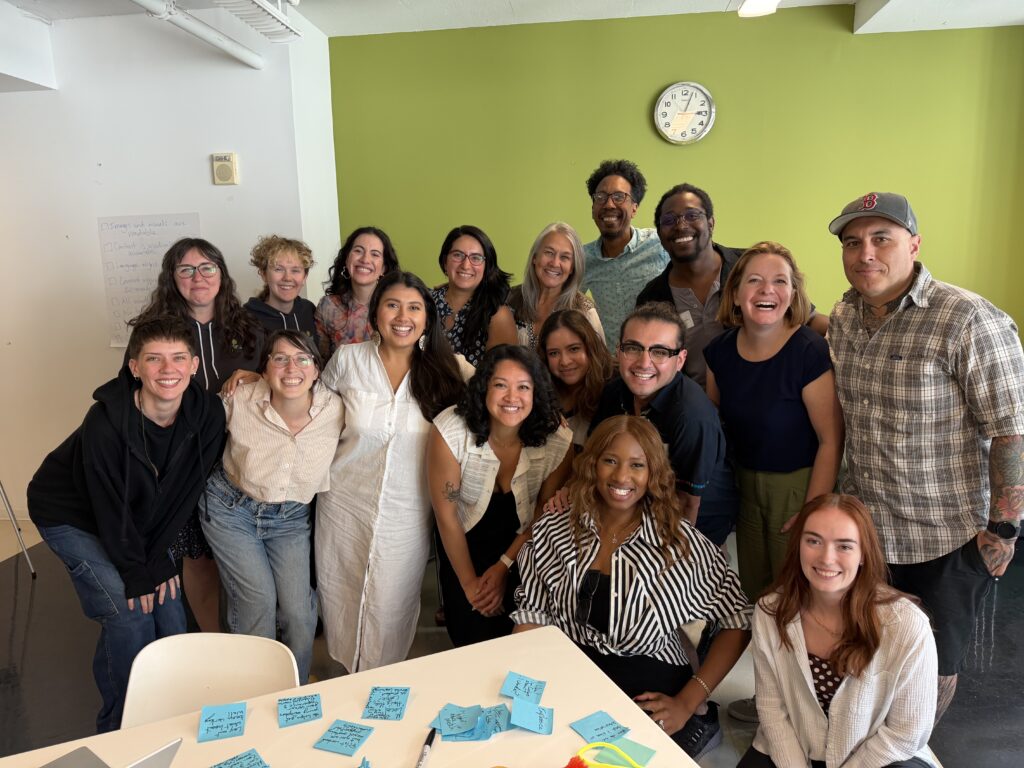
Our second cohort of In/Tend IDTs
Photo By: Simone Impei
Rebecca Skinner, MSPH, is a Project Coordinator in the Innovation and Research Department at Healthy Teen Network. Rebecca is deeply committed to advancing health equity and improving access to comprehensive, affirming sexual and reproductive health care and education for all young people. When she isn’t busy making a spreadsheet look pretty, you can find her reading while curling up with one of her pets and a cup of tea, playing video games, or starting yet another craft project. Read more about Rebecca.